

Only your admin account opens Configurations → Privacy Archive. Support, sales and bookkeeping
staff do not see it, and kurnl staff do not either. Every view is recorded in your audit log.
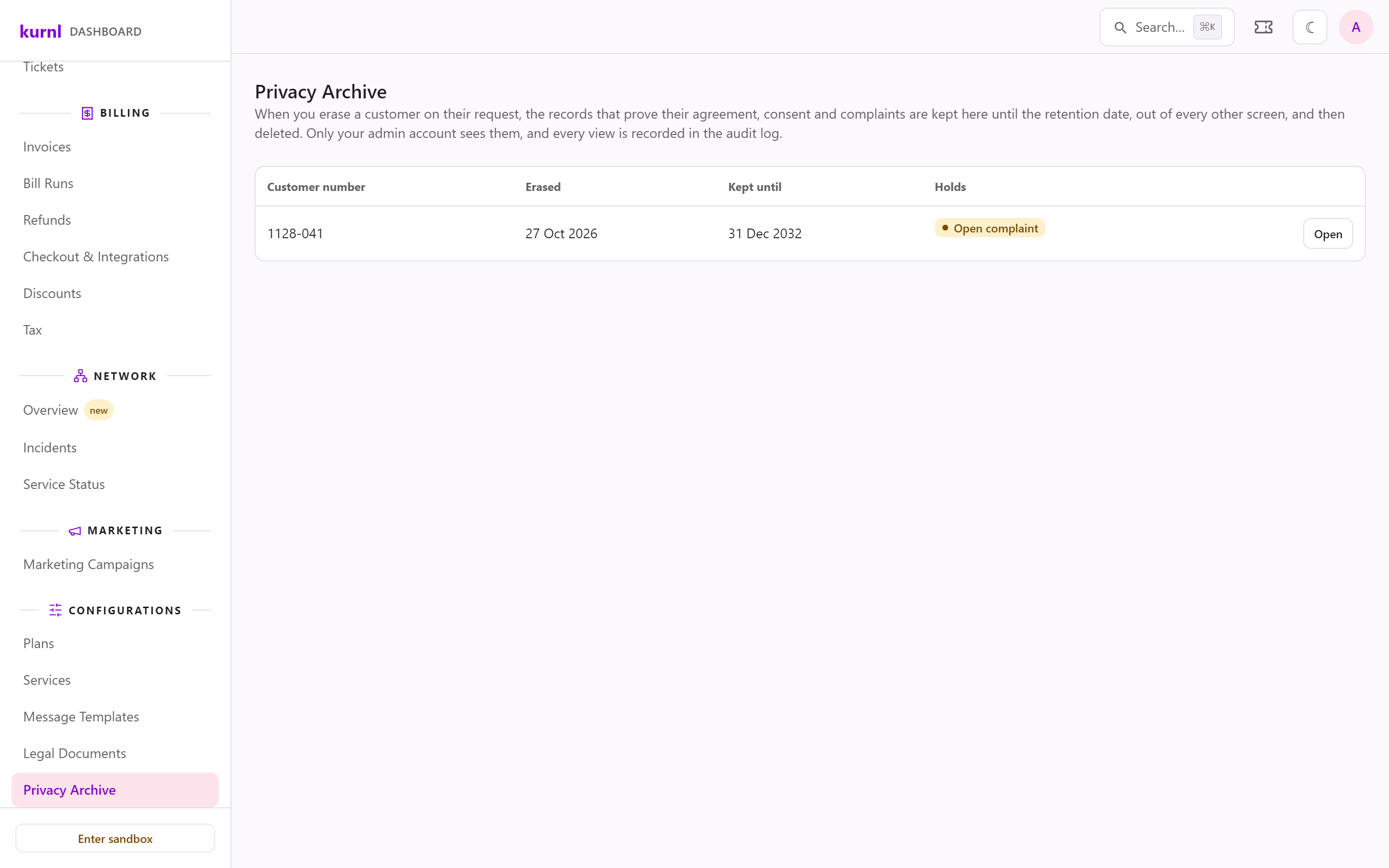
The Privacy Archive
How a customer asks for deletion
Only the account holder can ask, signed in to the customer portal. An authorized user on the account cannot; the portal tells them that only the account holder can. The customer can ask once every one of their lines has ended, with you and with any other provider on kurnl. A line that is cancelled but still running until its last day counts as running. Until then the portal shows “Cancel your service first” and does not take the request. While a deletion request is pending, the portal offers no second one. The customer finds it in two places:- Settings › Security, under Delete my account, which opens a confirmation dialog;
- the Privacy page, reached from the portal footer, which also takes access and correction requests.
- you answer within 30 days;
- their sign-in ends with the erasure;
- their invoices, payments and refunds, the service agreement they accepted, their consent and any complaints are kept in the Privacy archive for six years after the end of your fiscal year that contains their final invoice, and are deleted after that.
What the archive keeps
For each erased customer, until their retention date:- the Service Agreements with their PDFs, and the record of every e-mail that carried them;
- the consent and contract-acceptance records from checkout;
- complaints;
- the customer number (and an earlier one), which your invoices refer to;
- their support tickets;
- a partner’s references to the customer, if the order came through a partner.
The retention date
The retention date is the last day of your fiscal year that contains the customer’s final invoice, plus your retention period. By default the period is 6 years and your fiscal year ends on 31 December. A customer whose final invoice was in October 2026 is kept until 31 December 2032. Without an invoice, the clock starts when their last line ended.Holds
A hold keeps a customer’s records past the retention date:- an open complaint and a pending access request hold automatically;
- you can set a legal hold with a reason, for example during litigation or a tax objection, and lift it when it no longer applies.