

Managing customers needs the Customer management module — see
Handling customers day-to-day.
Create an external plan
1
Open Plans
Go to Configurations → Plans and press + New Plan. Name the plan
(for example Partner Wireless 100) and press Create Plan — the first
version opens.
2
Mark the version external
Tick External / off-net plan. This cannot be changed later.
3
Enter speeds, technology and price
Choose the Technology (Fiber, Cable, DSL, Fixed Wireless, LTE, Satellite
or Other), enter Download and Upload in Mbps, the Retail
Price/mo and an optional Setup Fee, and press Add Version.
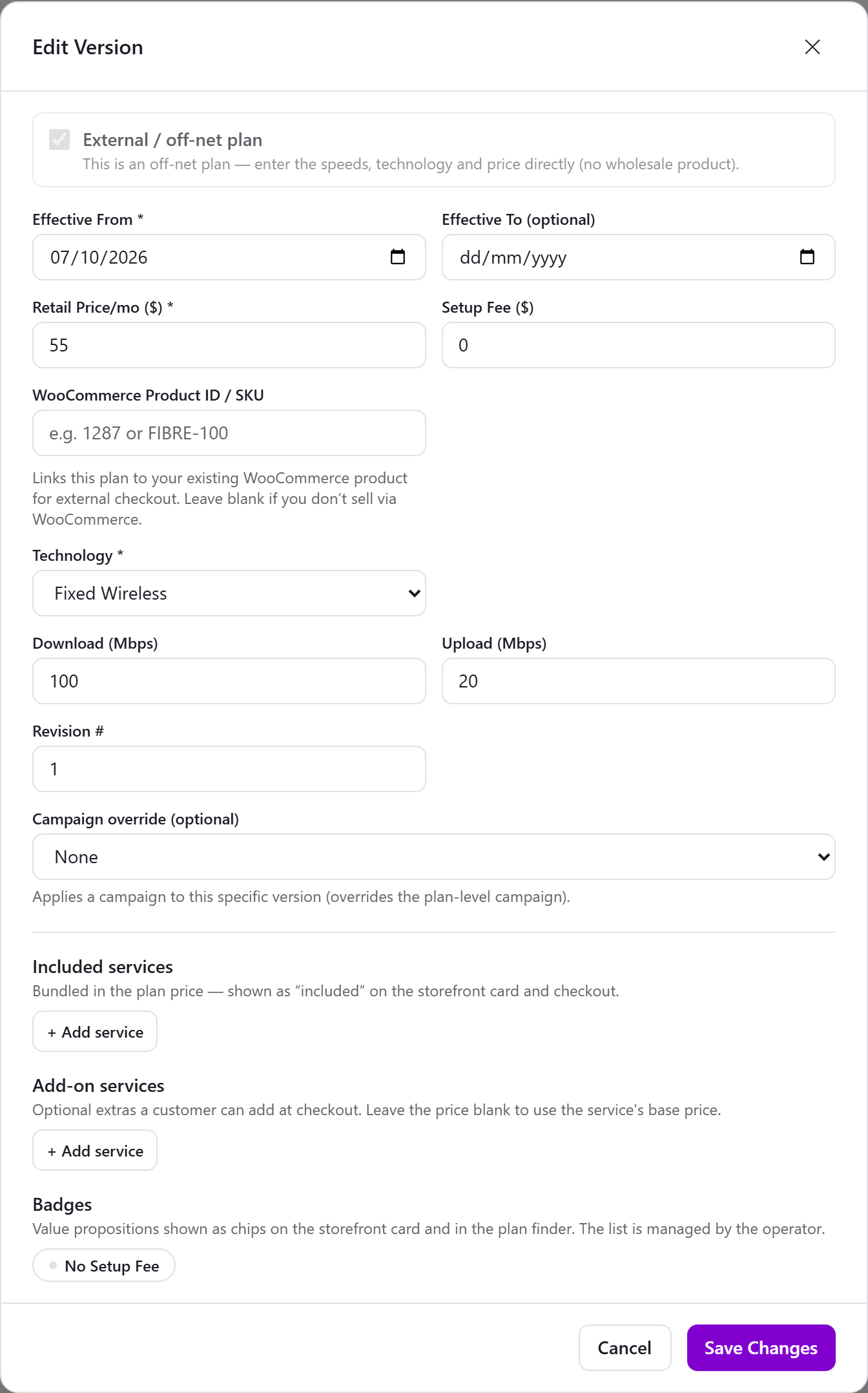
An external plan version
Add an external subscription
- Open the customer (or create one — see Add a customer & subscription).
- On the Services tab, press + Add location, then External service (no address) and pick one of your external plans. No unit or address is needed.
- Press Create Subscription. The service is active right away, and its first invoice goes out at once: the setup fee, if the plan has one, and the rest of the current month from today. From then on it is billed on the 1st of each month. Invoices are paid from the customer’s credit first, then from their saved card when AutoPay is on; otherwise they stay open until paid.
How it shows
- The customer carries an External badge, and the service reads Off-net service.
- The Equipment tab notes that the service is not on the kurnl network.
- The customer sees the service in the customer portal once they have a login (Invite to portal).
What works on an external subscription
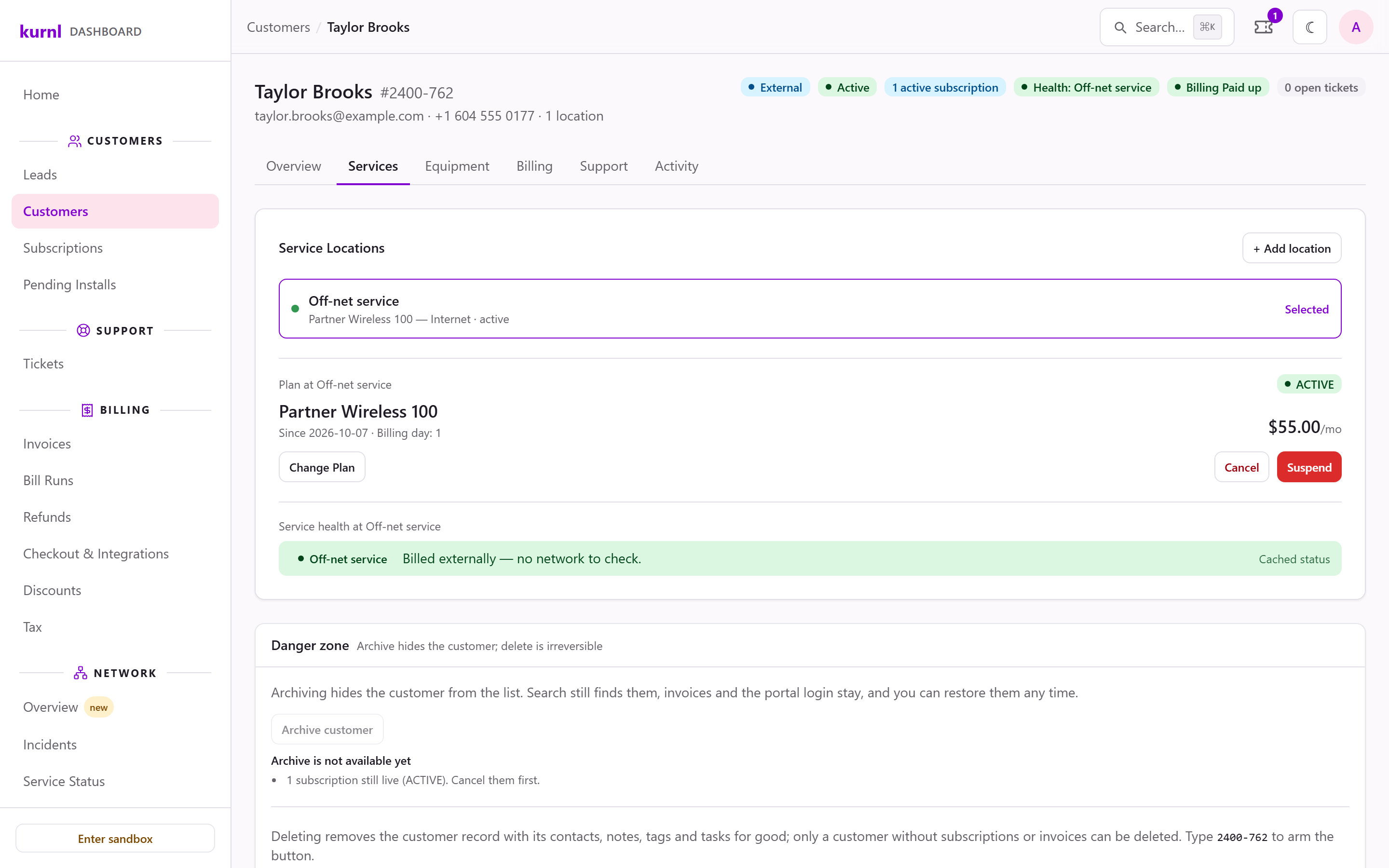
An external subscription on the customer page