

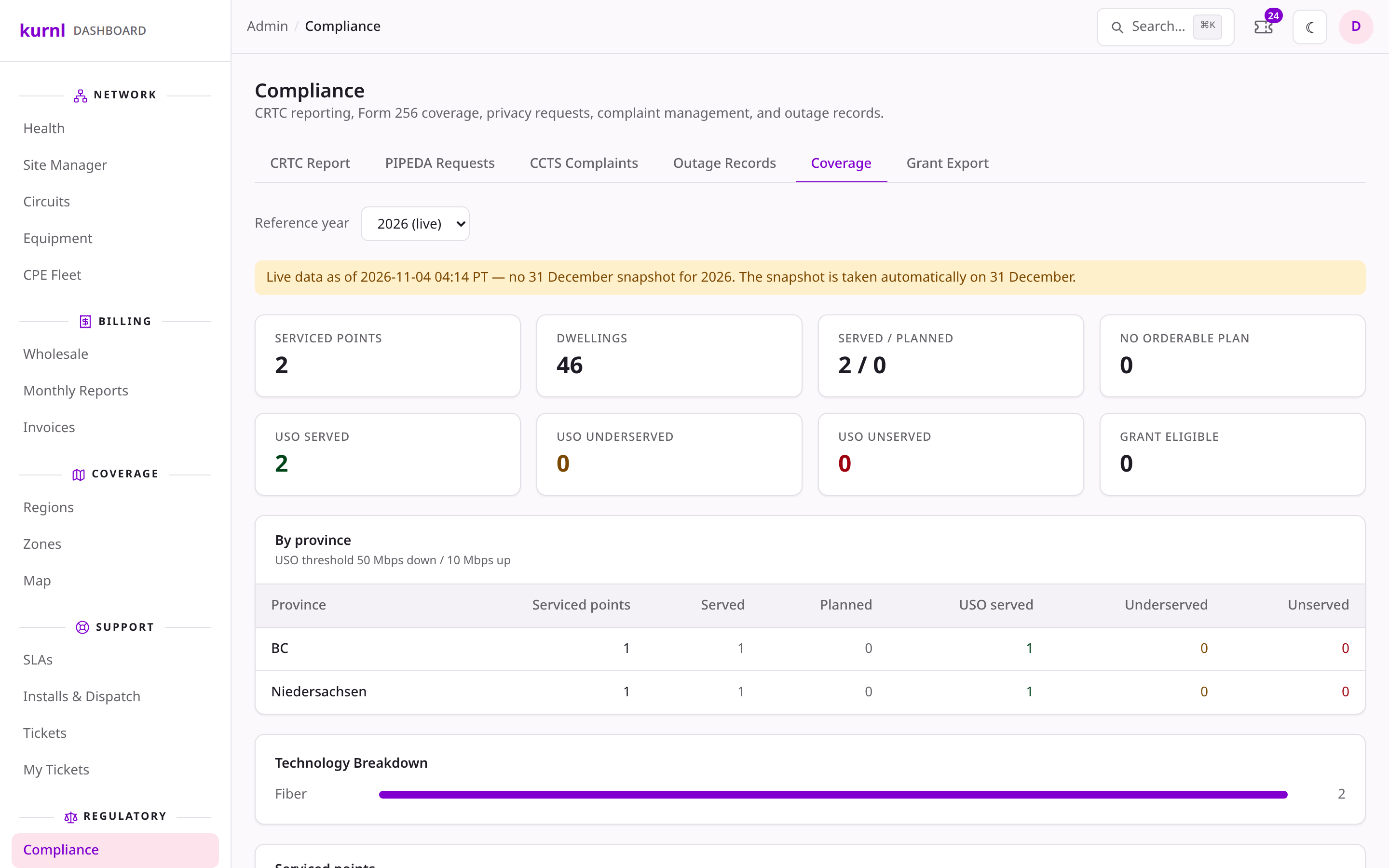
Compliance → Coverage: the reference year, the source banner, the serviced points and the province roll-up
What a serviced point is
One row per building that is on the network or on its way there, with a dwelling count (the building’s units; the declared unit count when none are recorded yet).Where the speeds come from
A serviced point’s max down / up is the fastest plan a new customer can order in that building today: the providers covering it, each one’s plan offer there, capped by the building’s speed tier. A building nobody covers, or where no provider offers a plan that fits, shows 0 / 0 and the flag No orderable plan. The network-wide maximum is never used. The USO column classifies each point against the CRTC Universal Service Objective (50 Mbps down / 10 Mbps up) on that same orderable maximum: served, underserved (at least 25/5), unserved (below, or nothing orderable), unknown (an orderable plan without a speed on file).The 31 December snapshot
Buildings move during the year, so the reference date needs a frozen set.1
The snapshot is taken automatically
On the evening of 31 December (Pacific time) the serviced points of the
year are frozen. If the job missed the night, it catches up in January or
February and the page says the snapshot was taken late on that day.
2
Pick the reference year
The Reference year picker lists every year with a snapshot and the
current year as live. A live view is today’s state and the banner says
so; a snapshot never changes once taken.
3
Take a past year by hand only when it is missing
A past year without a snapshot offers Take snapshot now. That freezes
today’s state under that year, marked late — a way out when the job
failed, not a way to redo a year. A snapshot is never overwritten.
4
The January reminder
Once the snapshot is in, the filer named in the deployment setting
FORM256_FILER_EMAIL gets one mail that it is ready, and the operator
inbox gets the same alert (which says so when no filer address is set).Downloads
All three follow the selected reference year. The Form 256 file says in itsdata_source column whether it holds the snapshot or live data; the banner
above the downloads says it for all three.
- Form 256 CSV — one row per serviced point with the reference date, address, coordinates, dwelling count, speeds and status. This is the filing shape as far as it is known; the column set is adjusted against the CRTC’s DCS template once that is in hand.
- FCC BDC CSV — the US fixed-availability layout, served points only. Enter the FCC Provider ID and brand first; Fabric location IDs still have to be reconciled before filing.
- Generic CSV — every column kurnl holds per serviced point.